Back to FAQ Article
How can I change my profile?
You can update your profile at any time:
- Log in to your account.
- Click your profile icon in the top-right corner and select Account Settings.
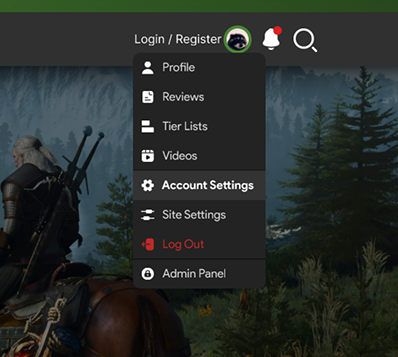
- From the left-hand menu, choose Account Settings.
- Edit details such as your username, bio, or profile picture.
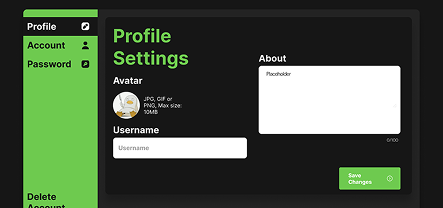
- Click Save changes to confirm.
Last updated: August 3, 2025
© 2026 GameTyr. All rights reserved.