Back to FAQ Article
How can I delete my account?
To delete your account:
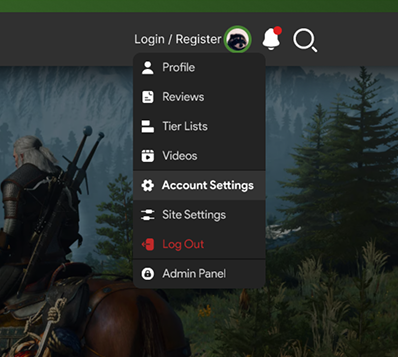
- Click your profile picture in the top-right corner and select Account Settings.
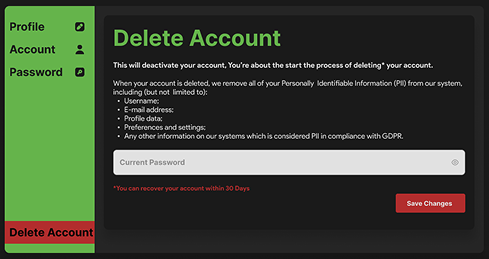
- In the left hand menu in the bottom, choose Delete Account.
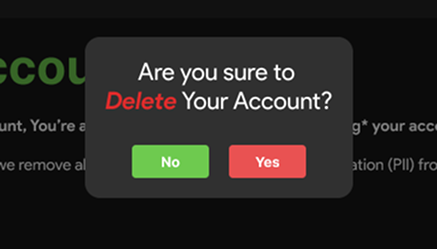
- Confirm the deletion by clicking Yes in the pop-up.
Once confirmed, your account will be deactivated and scheduled for deletion. This includes all associated data such as your reviews, tier lists, comments, and shared videos.
- Within 30 days: Your account and data are in a recoverable state. If you change your mind, you can request recovery by contacting us via email during this period.
- After 30 days: Your account and all associated data will be permanently deleted (hard delete) and cannot be restored.
Last updated: August 3, 2025
© 2026 GameTyr. All rights reserved.