Back to FAQ Article
How can I export my data?
To export your data:
- Click your profile picture in the top-right corner and select Account Settings.
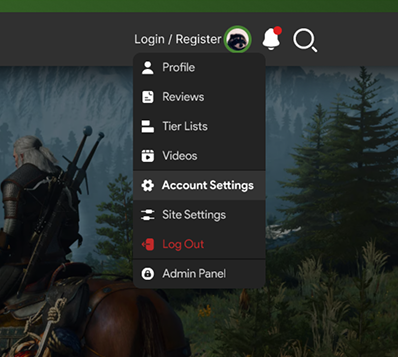
- In the left-hand menu, choose Account.
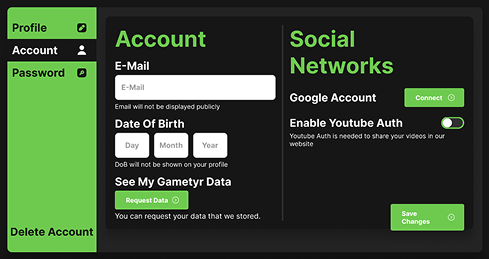
- Click Request Data.
Once requested, you will receive a copy of your data, which includes your personal information (e.g., username, profile details) as well as any content you’ve posted, such as reviews, tier lists, comments, and shared videos.
Last updated: August 3, 2025
© 2026 GameTyr. All rights reserved.